
Bridging the Gap: Integrating Microsoft Exchange SE with Splunk for Advanced Security Auditing
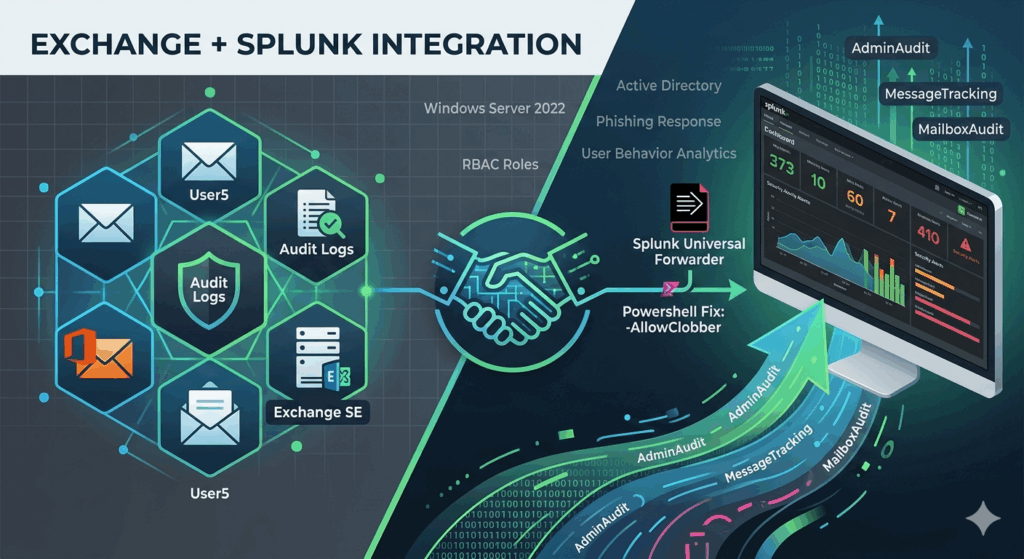
Microsoft Exchange is often a primary target for business email compromise (BEC) and lateral movement. Getting deep visibility into what happens inside your mail servers is critical.
Recently, I built a lab environment to simulate this exact pipeline: from a fresh Windows Server 2022 install to a fully operational Splunk Universal Forwarder ingestion. Here is the step-by-step journey of how I configured it.
Infrastructure Foundations
The setup began with the standard Windows enterprise stack:
- OS: Windows Server 2022.
- Identity: Active Directory (AD) and DNS configuration.
- Application: Installation and setup of Exchange Server SE (Service Edition).
Activating the Evidence Trail
To track what users and admins are doing, you have to wake up the auditing engine. I enabled mailbox auditing for specific users to ensure every move is recorded:
Set-Mailbox -Identity "UserAddress" -AuditEnabled $trueTo verify admin audit logs are enabled, run the below: If not enabled, run the second one to enable it:
Get-AdminAuditLogConfig | Select-Object AdminAuditLogEnabled, AdminAuditLogAgeLimit, AdminAuditLogCmdletsSet-AdminAuditLogConfig -AdminAuditLogEnabled $true -AdminAuditLogCmdlets * -AdminAuditLogParameters *Now that we’ve enabled all, let’s work on collecting it.
The Principle of Least Privilege
For security, I avoided using “Domain Admin” for log ingestion. Instead, I created a dedicated Exchange role group named “SplunkLog” and assigned only the permissions necessary for auditing:
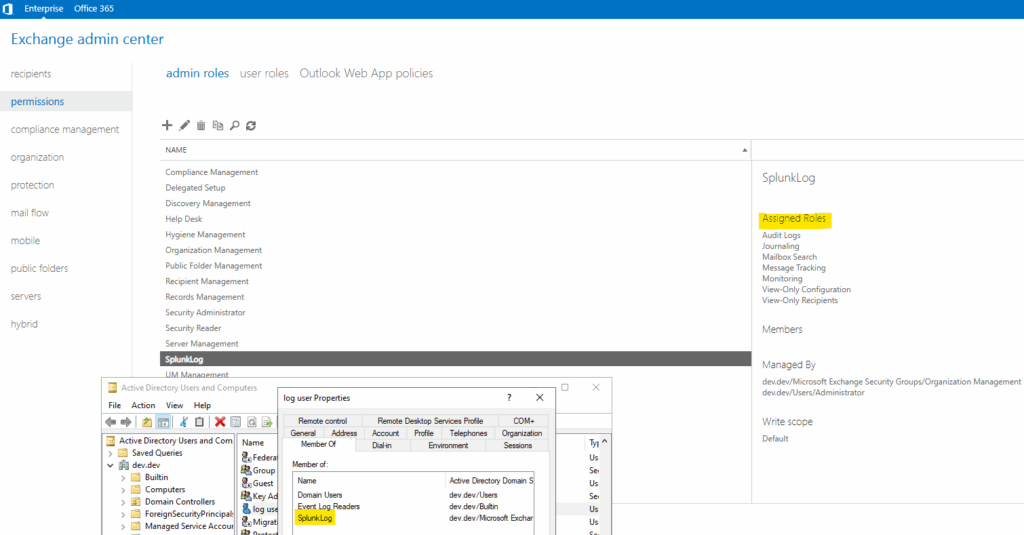
Audit Logs: Grants permission to search and export the “who, what, and when” of admin changes and mailbox access events.
Mailbox Search: Enables the ability to perform forensic searches for specific email content across multiple mailboxes simultaneously.
Message Tracking: Provides the metadata (sender, recipient, subject, time) for every email flowing through the server.
Monitoring: Allows access to server health metrics, database status, and performance counters for operational dashboards.
View-Only Configuration: Permits reading the server and organization settings without the ability to modify any infrastructure.
View-Only Recipients: Allows the account to view user and mailbox attributes to “translate” technical IDs into human-readable names.
I then created a service account LogUser, and added it to SplunkLog group
Splunk Forwarder Configuration
Installing the Splunk Universal Forwarder (UF) is standard, but making it talk to Exchange requires some manual “under the hood” work:
Permissions: I granted the LogUser service account Full Control over the “C:\Program Files\SplunkUniversalForwarder“directory.
Service Context: I modified the Splunk Forwarder service properties to Log On as the LogUser domain account rather than “Local System.”
The Add-on: I deployed it splunk-add-on-for-microsoft-exchange_410.tgz to collect the required logs.
The Breakthrough (The Script Fix)
Even with everything in place, the AdminAudit and MailboxAudit logs weren’t initially reaching Splunk. The issue resided in how the PowerShell session was being handled within the add-on’s collection scripts.
The Fix: I modified the script to include the -AllowClobber parameter when importing the PowerShell session. This prevents naming conflicts that can crash the data collection process:
# Modified Script snippet
Import-PSSession $Session -DisableNameChecking -AllowClobber | Out-Null
I am not sure about this fix since it is testing. I tried that. So discuss it with experts.
Success & Validation
After the script modification and a service restart, the data began flowing into the Splunk indexer:
IIS Logs: For OWA and ActiveSync traffic.
Message Tracking: To visualize mail flow.
AdminAudit: Tracking configuration changes.
Mailbox Audit: Monitoring sensitive mailbox access.
A Final Note on Testing
Remember, MailboxAudit logs only generate when actions occur. To validate the data in Splunk, you must physically perform actions in a mailbox (deleting emails, moving folders) or make administrative changes (resetting a password, changing a rule).
Key Takeaways:
Don’t use Domain Admin; custom RBAC roles in Exchange are safer.
Service Accounts: Always run your UF service as the account that has the Exchange permissions.
The “Clobber” Factor: When using the Splunk Add-on for Exchange, keep an eye on your PSSession imports.
If there are any corrections, let me know…
Microsoft Exchange is often a primary target for business email compromise (BEC) and lateral movement. Getting deep visibility into what happens inside your mail servers is critical. Recently, I built a lab environment to simulate this exact pipeline: from a fresh Windows Server 2022 install to a fully operational Splunk Universal Forwarder ingestion. Here is…